
In a world increasingly dominated by complex data, the need for intuitive tools that allow users to interact with and analyze information efficiently is more critical than ever. The spreadsheet is one of the most universally recognized and understood tools in the business world. From financial analysts to sales teams, professionals across industries have relied on spreadsheets for decades to organize, calculate, and visualize data. At Liquid Analytics, we’ve taken this familiarity and built it into our *Decisions* platform, creating a seamless, spreadsheet-like interface that enables users to navigate unfamiliar data challenges with ease and confidence.
Key Features of the Spreadsheet-Like Interface
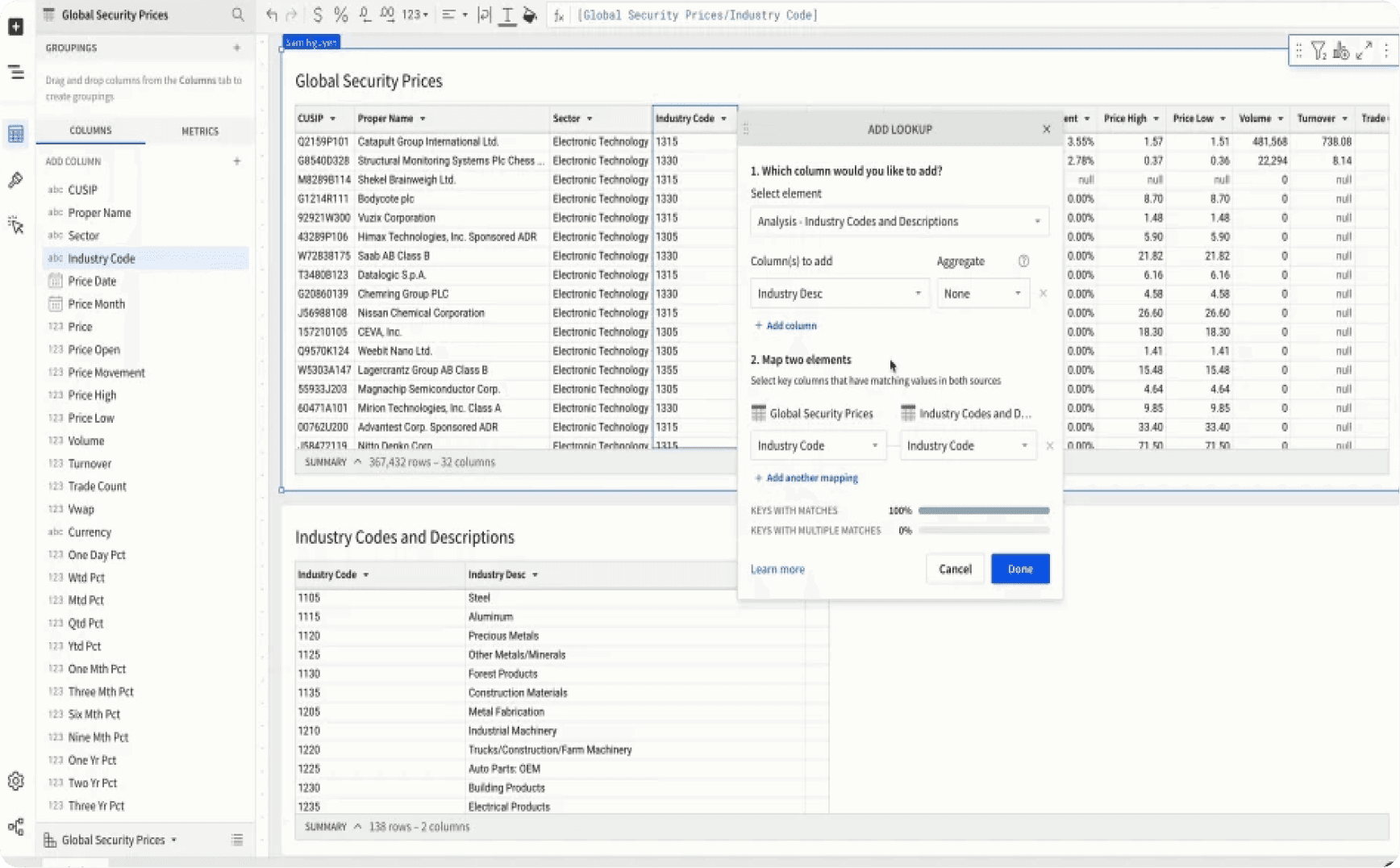
The Decisions platform’s interface mirrors the simplicity and functionality of traditional spreadsheets while integrating advanced data analytics capabilities. Key features include:
Cell-Based Data Interaction
Users can manipulate data in individual cells, just like in Excel or Google Sheets, making it easy to edit, calculate, and manage data without the need to learn new tools.
Macros: Formulas and Functions
Decisions supports a wide range of formulas and functions—referred to as macros—enabling users to perform calculations and data analysis directly within the interface. This allows users to apply their existing spreadsheet knowledge with minimal learning curve.
Dynamic Data Updates
The platform updates data in real-time, ensuring that any changes made within the spreadsheet are immediately reflected across the entire dataset. This is particularly valuable for teams working collaboratively, as everyone always has access to the most current information.
Data Visualization
Built-in charting and graphing tools allow users to visualize data directly within the spreadsheet. This feature enhances the ability to identify trends and insights without the need for exporting data to external tools.
Seamless Integration with Excel and Google Sheets
Recognizing that many businesses still rely on Excel and Google Sheets, Decisions is designed to integrate seamlessly with these tools, offering:
Effortless Data Import and Export
Users can easily import existing spreadsheets into Decisions to leverage its advanced analytics, and export analyzed data back to Excel or Google Sheets for further manipulation or reporting.
Collaborative Editing
Similar to Google Sheets, Decisions supports real-time collaborative editing, allowing multiple users to work on the same dataset simultaneously, fostering teamwork and ensuring alignment.
Enhanced Data Security
While integrating with popular spreadsheet tools, Decisions also offers enhanced data security through role-based access controls and encryption, protecting sensitive information.
Enhancing Productivity with a Familiar Environment
The spreadsheet-like interface of Decisions enables users to start working immediately, leveraging the familiar look and feel of traditional spreadsheets. This familiarity significantly reduces the learning curve associated with new data tools, boosting productivity and user confidence.
For instance, a sales manager accustomed to Excel can quickly adapt to Decisions without extensive training. They can continue using familiar shortcuts, formulas, and workflows while benefiting from Decisions' enhanced data processing and analysis capabilities.
We extend the spreadsheet experience beyond tables to include documents and conversations.
Reducing Learning Curves and Boosting Adoption
Introducing new technology in a business often comes with the challenge of user adoption. By incorporating a familiar spreadsheet-like interface, Liquid Analytics ensures a smooth transition to the Decisions platform. Users can immediately begin working with the platform, applying their existing skills and knowledge while gradually exploring its advanced features.
This approach not only minimizes training time and resources but also boosts adoption rates. The familiarity of the interface reduces resistance to change, allowing businesses to quickly realize the full benefits of the Decisions platform. In a competitive market, the ability to make frictionless decisions today—rather than weeks or months from now—can provide a significant strategic advantage.
The spreadsheet-like interface of Decisions bridges the gap between traditional tools and modern data challenges, empowering users to navigate and analyze complex data with ease and confidence. By leveraging familiarity, Decisions facilitates a smoother adoption process, ultimately driving productivity and delivering a strategic edge in today’s data-driven world.
#DataMadeSimple
#SpreadsheetPower
#SeamlessDataAnalytics